
WordPress page caching and a Redis object cache, per site
WPShift sets up two caches for a WordPress site. Page caching happens in the web server: a stored copy of a page is returned without starting WordPress. A Redis object cache works inside WordPress and keeps reusable data in memory.
Free plan available. Paid plans include a 7-day trial. Server costs are separate.
In the dashboard

Where it sits
Caching lives in two layers of the server: Nginx and Redis.
 WPShift
The dashboard that sets up the server and manages what runs on it.
sets up and manages
Managed in WPShift, outside the server
Plans
Which plans include caching
- Free €0 included
- Solo €5,99 included
- Studio €14,99 included
- Scale €29,99 included
- Nginx, PHP, database and Redis management, from the Free plan
- €0
Per month, excluding VAT. Server costs are separate.
Both are managed per site, and each is cleared separately from the dashboard. By default, logged-in sessions and WooCommerce cart, checkout and account paths bypass the page cache. Caching removes repeated work on the server, which usually reduces the time taken to return a page. How much visitors notice also depends on the theme, plugins, images and scripts the page loads. Managing Nginx and Redis is part of every plan.
Two caches
What each cache does
Without a cache, every request starts PHP, queries the database and assembles the page. With page caching the web server returns a stored copy, which only works for pages that are the same for every visitor.
A shop checkout, the WordPress admin and a members area differ per visitor. For those, the Redis object cache keeps reusable data in memory. It uses a WordPress plugin, which WPShift installs and configures. No caching plugin is needed for page caching.
The rules
When a request skips the page cache
Stored pages are kept for thirty minutes by default and never for fewer than sixty seconds. You can add your own URL patterns and cookie names per site.
POST- every POST request
- Query string
- every request that carries a query string
- Cookie
- a cookie matching
wordpress_logged_in,comment_author,woocommerce_items_in_cart,woocommerce_cart_hashorwp-postpass_
Checking
How to see whether a page came from the cache
Every response carries an X-FastCGI-Cache header with one of three values.
HIT- the stored copy was returned
MISS- WordPress generated the page, and it is now stored
BYPASS- a rule excluded the request
Under load
When PHP times out or fails
If PHP times out or returns a 500 or 503, the web server serves the stored copy instead of the error. When several visitors request the same uncached page at once, the first request generates it and the rest wait up to ten seconds for that result.
Questions
Questions about caching
- Is page caching safe for a WooCommerce shop?
- The default exclusions cover cart, checkout and account paths and logged-in sessions. Review the exclusions if your theme or plugins personalise other pages.
Related features
-
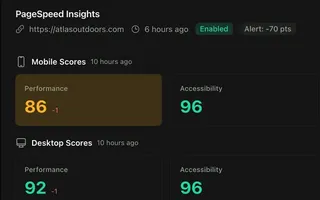 PageSpeed monitoring From Studio Scheduled mobile and desktop PageSpeed tests, kept as a history per site.
 -
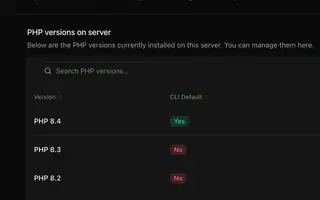 PHP versions Every plan Install several PHP versions on one server and choose one per site.
 -
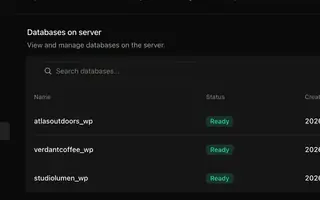 Databases Every plan A MariaDB database and user per site, plus the extra databases and users you add.
 -
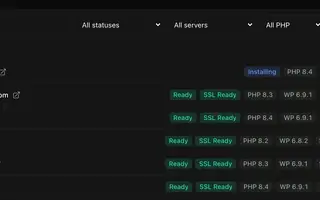 Site management Every plan Install, copy or import WordPress sites and manage plugins, themes, logs and settings in one place.
Set up your first WordPress server
Connect your cloud account, let WPShift prepare the server, and add a site.
Free plan available. Paid plans include a 7-day trial. Server costs are separate.
The setup, in three steps
- Connect your cloud account
- Choose the region and size
- WPShift sets up the server