
WordPress database management: one database per site
WPShift creates a MariaDB database and a database user whenever it sets up a WordPress site, and that user can open only that one database. The credentials are written into the site's configuration.
Free plan available. Paid plans include a 7-day trial. Server costs are separate.
In the dashboard

Where it sits
MariaDB is the layer that stores each site's content.
 WPShift
The dashboard that sets up the server and manages what runs on it.
sets up and manages
Managed in WPShift, outside the server
Plans
Which plans include databases
- Free €0 included
- Solo €5,99 included
- Studio €14,99 included
- Scale €29,99 included
- Database management, from the Free plan
- €0
Per month, excluding VAT. Server costs are separate.
WordPress treats MariaDB as MySQL, so themes and plugins need no change. Database management is part of every plan, including the free one.
Users
See which user can reach what
The database users page lists every user on the server and the databases each one can open. From there you can add a user for a reporting tool, remove one whose password may have leaked, or grant an existing user access to a second database. Additional databases are created from the server's database page.

Exposure
Not on a public interface
The database listens locally. To use a database client on your own computer, connect through an SSH tunnel, or open a firewall rule to one specific address.
Export
Your content as a standard SQL export
A backup keeps the files and the database as separate parts, and each downloads on its own. The database part is a standard SQL export. Uploads are in the files part.
Questions
Questions about databases
- Can I create an extra database?
- Yes. Additional databases and users are created on the server, for example a separate user with limited access for a reporting tool.
Related features
-
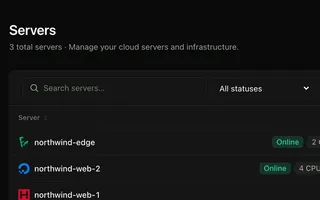 Cloud servers Every plan Connect your cloud account and WPShift installs and configures the server for WordPress.
 -
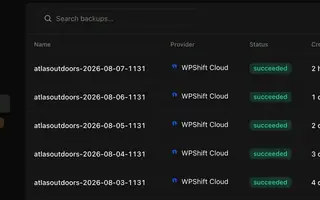 Backups Every plan Scheduled backups stored off the server, restorable to the same site or another.
 -
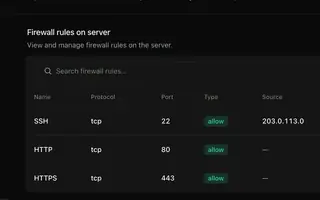 Security & firewall Every plan A default-deny firewall, SSH keys per person, and a separate user and database login per site.
 -
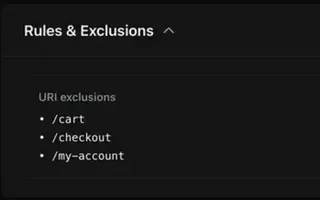 Caching Every plan Page caching in the web server and a Redis object cache, set per site.
Set up your first WordPress server
Connect your cloud account, let WPShift prepare the server, and add a site.
Free plan available. Paid plans include a 7-day trial. Server costs are separate.
The setup, in three steps
- Connect your cloud account
- Choose the region and size
- WPShift sets up the server