
Team access for WordPress hosting: workspaces and roles
In WPShift people are invited by email and get their own account, so nobody shares a login. How many people, and what they can be allowed to do, depends on the plan.
Free plan available. Paid plans include a 7-day trial. Server costs are separate.
In the dashboard

Where it sits
Access is managed in the WPShift dashboard.
 WPShift
The dashboard that sets up the server and manages what runs on it.
sets up and manages
Managed in WPShift, outside the server
Plans
Which plans include team access
- Free €0 included
- Solo €5,99 included
- Studio €14,99 included
- Scale €29,99 included
- One team member, from the Free plan
- €0
- Five team members and role-based access, Studio
- €14,99
- Unlimited members, 15 workspaces and the audit log, Scale
- €29,99
Solo has one team member and one workspace. Per month, excluding VAT.
Free and Solo have one team member, Studio has five and Scale is unlimited. Role-based access starts on Studio. A workspace holds servers, sites, domains and mailboxes. Free, Solo and Studio have one workspace, and Scale has fifteen.
Steps
How it works
-
Step 1
Put the work in a workspace
A workspace holds servers, sites, domains and mailboxes.
-
Step 2
Invite people by email
Each person sets up their own account.
-
Step 3
Set what each person can do
On Studio and Scale, assign roles and their permissions.
Workspaces
A workspace is the boundary
Someone invited to one workspace does not see the others, and one person can belong to several workspaces with different access in each. Keeping each client in a workspace of their own therefore needs Scale, which has fifteen. All workspaces draw on the same pool of sites, servers and storage in your plan. They split that pool, and they do not add capacity.

Reviewing
When someone leaves
Removing someone from a workspace removes their dashboard access. An SSH key or other server credential they hold is separate and has to be removed too.
Questions
Questions about team access
- Can I give a client access to only their own sites?
- On Scale, yes. It has fifteen workspaces, and someone invited to one workspace does not see the others. Free, Solo and Studio have one workspace, so there is no second one to keep a client apart in.
- Is there a record of who did what?
- Operations record the person who started them. A full audit log is part of the Scale plan.
Related features
-
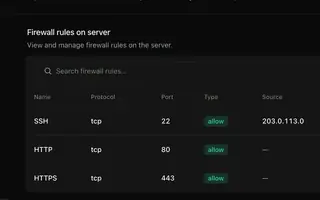 Security & firewall Every plan A default-deny firewall, SSH keys per person, and a separate user and database login per site.
 -
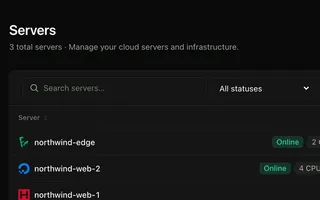 Cloud servers Every plan Connect your cloud account and WPShift installs and configures the server for WordPress.
 -
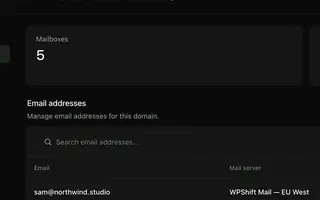 Email hosting Every plan Mailboxes on your own domains, with webmail, managed next to your sites.
 -
 AI Copilot Scale An assistant that answers from your own operation records and waits for approval before it acts.
Set up your first WordPress server
Connect your cloud account, let WPShift prepare the server, and add a site.
Free plan available. Paid plans include a 7-day trial. Server costs are separate.
The setup, in three steps
- Connect your cloud account
- Choose the region and size
- WPShift sets up the server