
PageSpeed monitoring for WordPress sites, with history
WPShift runs scheduled PageSpeed Insights tests against each monitored site, on mobile and on desktop, and keeps the results as a history. You set a score, and a result below it raises an alert.
Free plan available. Paid plans include a 7-day trial. Server costs are separate.
In the dashboard

Where it sits
PageSpeed tests run against the live site, from outside the server.
 WPShift
The dashboard that sets up the server and manages what runs on it.
sets up and manages
Managed in WPShift, outside the server
Plans
Which plans include PageSpeed monitoring
- Free €0 not included
- Solo €5,99 not included
- Studio €14,99 included
- Scale €29,99 included
- PageSpeed monitoring, from Studio
- €14,99
Not included on Free or Solo. Paid plans start with a 7-day trial.
Per month, excluding VAT. Server costs are separate.
These are lab tests. They are not field data from real visitors, and the tool does not change the site or guarantee a ranking change. PageSpeed monitoring is included on the Studio and Scale plans, and paid plans start with a 7-day trial.
Two tests
Mobile and desktop, recorded separately
The two tests measure different conditions, so each has its own score and its own history.

Lab tests
What these scores are
The tests run through PageSpeed Insights against your live address. Field data gathered from real visitors, the Core Web Vitals in Google's own dataset, is a separate measurement.
Next to the site
The site's other settings are on the same pages
Caching, PHP settings and the plugin list have their own pages on the same site in the dashboard.
Questions
Questions about PageSpeed monitoring
- How do I find out what caused a drop?
- Start from the date of the result. Check what was updated, installed or published around it, and compare with the site's plugin list and logs. The tool records the scores. It does not name a cause.
Related features
-
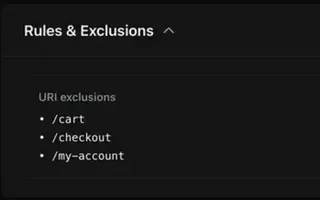 Caching Every plan Page caching in the web server and a Redis object cache, set per site.
 -
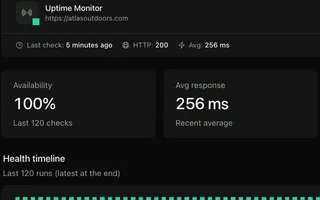 Uptime monitoring From Solo Each monitored site requested from outside its server, with history and an alert on repeated failures.
 -
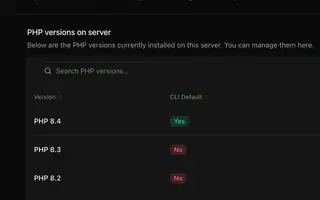 PHP versions Every plan Install several PHP versions on one server and choose one per site.
 -
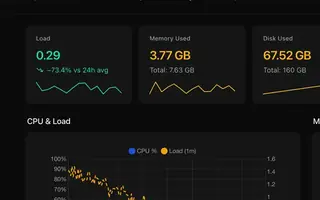 Server monitoring Every plan CPU, memory, disk usage and load for every server, with the history behind each reading.
Try PageSpeed monitoring on the Studio plan
PageSpeed monitoring starts on Studio, and paid plans begin with a 7-day trial. Set up a server, add a site and schedule the tests.
Free plan available. Paid plans include a 7-day trial. Server costs are separate.
The setup, in three steps
- Connect your cloud account
- Choose the region and size
- WPShift sets up the server