
A WordPress staging site, cloned from the live one
WPShift makes a WordPress staging site by cloning an existing site: its database, uploads, plugins, theme, settings and PHP version are copied to a new site. The copy has its own address, database and system user.
Free plan available. Paid plans include a 7-day trial. Server costs are separate.
In the dashboard

Where it sits
A staging copy is one more site on the server.
 WPShift
The dashboard that sets up the server and manages what runs on it.
sets up and manages
Managed in WPShift, outside the server
Plans
Which plans include staging & cloning
- Free €0 not included
- Solo €5,99 included
- Studio €14,99 included
- Scale €29,99 included
- Staging and cloning, from Solo
- €5,99
- A copy on a second server, from Studio
- €14,99
Not included on the Free plan. Paid plans start with a 7-day trial.
Per month, excluding VAT. Server costs are separate.
Staging and cloning are included from the Solo plan upwards, and paid plans start with a 7-day trial. A copy on the same server shares that server's CPU, memory and disk with the original. Placing the copy on another server needs a plan with more than one server: Studio or Scale.
Steps
How it works
-
Step 1
Choose the site to copy
The clone takes the source site's database, files, plugins, theme and PHP version.
-
Step 2
Choose where it goes
The same server, or another server you manage.
-
Step 3
Work on the copy
Change the PHP version, update a plugin or switch the theme on the copy. Delete it when you have finished.
Going live
Cloning creates a new site
WPShift copies a site to a new site. It does not write over an existing one, and there is no automatic push from staging back to production. Once a change has been tested, apply it to the live site. Content, comments and orders added to the live site since the copy was taken exist only there.

Privacy
A staging copy is not private
The copy asks search engines not to index it. That is a request, not access control: anyone who has the address can open it. Delete the copy when you are done, and avoid putting customer data on one.
Related features
-
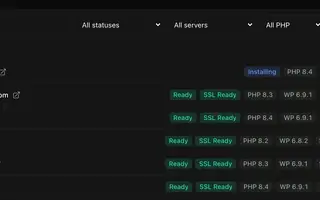 Site management Every plan Install, copy or import WordPress sites and manage plugins, themes, logs and settings in one place.
 -
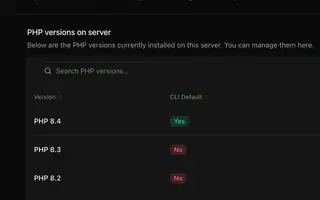 PHP versions Every plan Install several PHP versions on one server and choose one per site.
 -
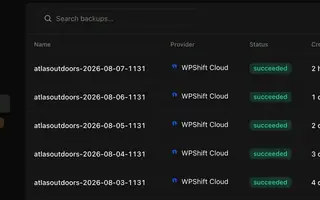 Backups Every plan Scheduled backups stored off the server, restorable to the same site or another.
 -
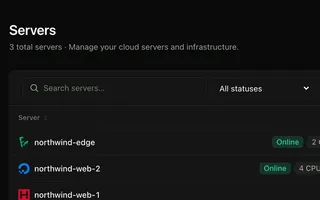 Cloud servers Every plan Connect your cloud account and WPShift installs and configures the server for WordPress.
Try staging on the Solo plan
Staging starts on Solo, and paid plans begin with a 7-day trial. Set up a server, add a site and clone it.
Free plan available. Paid plans include a 7-day trial. Server costs are separate.
The setup, in three steps
- Connect your cloud account
- Choose the region and size
- WPShift sets up the server