
A PHP version per WordPress site, on one server
With WPShift a server can have several PHP versions installed at once, and each WordPress site on it chooses the one it uses. You can move one site to a newer version while the others stay where they are.
Free plan available. Paid plans include a 7-day trial. Server costs are separate.
In the dashboard

Where it sits
PHP is one layer of the server, and each site chooses its version.
 WPShift
The dashboard that sets up the server and manages what runs on it.
sets up and manages
Managed in WPShift, outside the server
Plans
Which plans include PHP versions
- Free €0 included
- Solo €5,99 included
- Studio €14,99 included
- Scale €29,99 included
- PHP management, from the Free plan
- €0
- A staging copy to test an upgrade, from Solo
- €5,99
Per month, excluding VAT. Server costs are separate.
Changing a site's version changes the PHP runtime only. The site's files and database are not modified. Managing PHP is part of every plan. To test the change on a copy of the site first you need staging, which starts on the Solo plan.
Steps
How it works
-
Step 1
Install the versions you need
A server can hold more than one PHP version at a time. Adding one leaves the sites already running on the others untouched.
-
Step 2
Set the version per site
Each site runs in its own PHP process, so the version is a setting on the site.
-
Step 3
Switch back if you need to
This works while the older version is still installed. It does not undo changes that a plugin or theme made to your content while the site ran on the newer version.
Own process
Each site runs its own PHP process
Two sites on the same server can run different versions because they do not share a PHP process. Changing one site's version restarts that site's process, which is a brief interruption for that site. The other sites keep serving requests.

Testing
Test the upgrade on a copy
Clone the site, set the copy to the newer version and go through the pages and functions your visitors use: forms, checkout, member areas. The copy has the same database, uploads, plugins, theme and settings as the original.

Settings
PHP settings in the dashboard
Memory limit, upload size, execution time and OPcache settings are edited from WPShift's PHP controls.
Questions
Questions about PHP versions
- Which PHP versions are available?
- The dashboard lists the versions available for your server. Choose one that is still maintained and that your theme and plugins support.
Related features
-
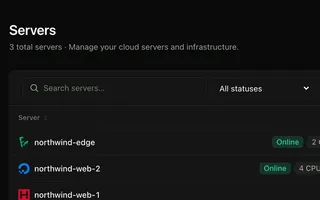 Cloud servers Every plan Connect your cloud account and WPShift installs and configures the server for WordPress.
 -
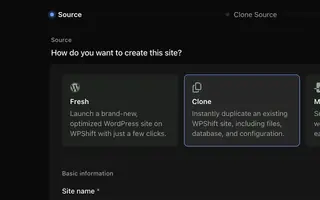 Staging & cloning From Solo Clone a site to test a PHP, plugin or theme change on a copy.
 -
 Caching Every plan Page caching in the web server and a Redis object cache, set per site.
 -
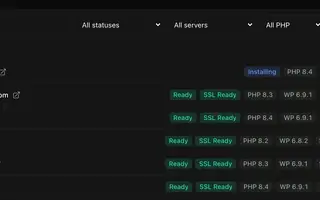 Site management Every plan Install, copy or import WordPress sites and manage plugins, themes, logs and settings in one place.
Set up your first WordPress server
Connect your cloud account, let WPShift prepare the server, and add a site.
Free plan available. Paid plans include a 7-day trial. Server costs are separate.
The setup, in three steps
- Connect your cloud account
- Choose the region and size
- WPShift sets up the server