
WordPress uptime monitoring, checked from outside the server
WPShift requests each monitored site from outside its own server, every five minutes by default. One failed request does not raise an alert. The alert follows once the number of consecutive failures you set is reached.
Free plan available. Paid plans include a 7-day trial. Server costs are separate.
In the dashboard

Where it sits
Uptime checks come from outside the server.
 WPShift
The dashboard that sets up the server and manages what runs on it.
sets up and manages
Managed in WPShift, outside the server
Plans
Which plans include uptime monitoring
- Free €0 not included
- Solo €5,99 included
- Studio €14,99 included
- Scale €29,99 included
- Uptime monitoring, from Solo
- €5,99
Not included on the Free plan. Paid plans start with a 7-day trial.
Per month, excluding VAT. Server costs are separate.
Every check is kept as history. Monitoring reports and records, and it does not repair an outage. Uptime monitoring is included from the Solo plan upwards, and paid plans start with a 7-day trial.
Each check
What a check records
Whether the site answered, which status it returned and how long it took. A check that runs on the server itself cannot report that the server is unreachable, so the request comes from outside it.

Settings
Settings per monitor
The check interval, the timeout and the number of consecutive failures before an alert are set on each monitor. A checkout and a small brochure site do not need the same thresholds.
Causes
Where to look for the cause
An uptime check tells you that a request failed. The server's resource charts and the record of the operations that ran around that time are where to look for the reason.
Questions
Questions about uptime monitoring
- Is this the same as server monitoring?
- No. Server monitoring records resource use on the server itself. Uptime monitoring requests the site from outside. The two can disagree: a server can be healthy while a site returns an error.
Related features
-
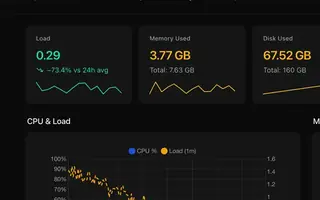 Server monitoring Every plan CPU, memory, disk usage and load for every server, with the history behind each reading.
 -
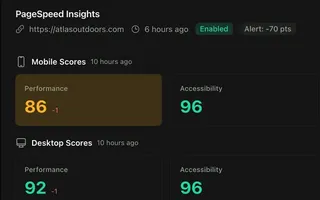 PageSpeed monitoring From Studio Scheduled mobile and desktop PageSpeed tests, kept as a history per site.
 -
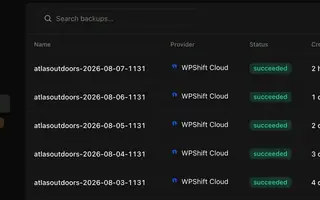 Backups Every plan Scheduled backups stored off the server, restorable to the same site or another.
 -
 AI Copilot Scale An assistant that answers from your own operation records and waits for approval before it acts.
Try uptime monitoring on the Solo plan
Uptime monitoring starts on Solo, and paid plans begin with a 7-day trial. Set up a server, add a site and add a monitor.
Free plan available. Paid plans include a 7-day trial. Server costs are separate.
The setup, in three steps
- Connect your cloud account
- Choose the region and size
- WPShift sets up the server