
DNS management for WordPress domains, next to your sites
WPShift can run the DNS for your domains. You point a domain's nameservers at WPShift, and the records for a site on that domain are created with the site and updated when the site moves to another server.
Free plan available. Paid plans include a 7-day trial. Server costs are separate.
In the dashboard

Where it sits
DNS records are managed in WPShift, outside the server.
 WPShift
The dashboard that sets up the server and manages what runs on it.
sets up and manages
Managed in WPShift, outside the server
Plans
Which plans include domains & DNS
- Free €0 included
- Solo €5,99 included
- Studio €14,99 included
- Scale €29,99 included
- DNS management, from the Free plan
- €0
Domains you can add: 1 on Free, 3 on Solo, 15 on Studio, unlimited on Scale.
Domain registration stays with your registrar. Per month, excluding VAT.
The domain stays registered where it is today, because WPShift does not sell domain registrations. Managing DNS here is optional: a domain whose DNS stays elsewhere works once it points at the server. DNS hosting is free on every plan, and the number of domains follows your plan, from one on Free to unlimited on Scale. DNS managed in WPShift stops with the subscription, so check what depends on it before you cancel.
Steps
How it works
-
Step 1
Point the domain at WPShift
Change the nameservers at your registrar. The registration itself stays where it is.
-
Step 2
Records are written with the site
Create a site on a managed domain, and the records that point it at the right server are created with it.
-
Step 3
Records follow the site
Move the site to another server, and the managed record is updated. Managed records are marked as managed.
The editor
A record editor for everything else
Add the records you need yourself, such as the mail records for an external mail provider, with TTL and priority controls.

Mail records written with the mailbox
When you create a mailbox on a domain whose DNS WPShift manages, the records for routing and authentication are configured in the same workflow.
Elsewhere
DNS at another provider
External DNS, including Cloudflare, is supported. Check that certificate-validation requests reach the server. Records you keep at another provider are yours to change when a site moves.
Questions
Questions about domains & DNS
- Do I have to transfer my domain to WPShift?
- No. WPShift does not sell domain registrations. You either point the nameservers at WPShift and manage the records there, or leave DNS where it is and add the records yourself.
Related features
-
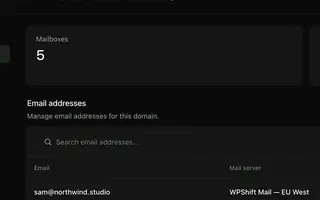 Email hosting Every plan Mailboxes on your own domains, with webmail, managed next to your sites.
 -
 SSL certificates Every plan Free certificates, with renewal attempted ahead of expiry and an alert when a renewal fails.
 -
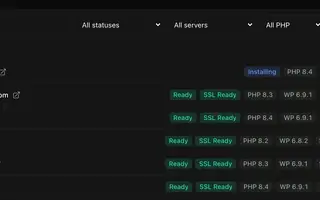 Site management Every plan Install, copy or import WordPress sites and manage plugins, themes, logs and settings in one place.
 -
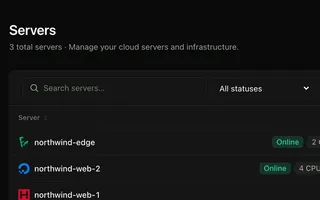 Cloud servers Every plan Connect your cloud account and WPShift installs and configures the server for WordPress.
Set up your first WordPress server
Connect your cloud account, let WPShift prepare the server, and add a site.
Free plan available. Paid plans include a 7-day trial. Server costs are separate.
The setup, in three steps
- Connect your cloud account
- Choose the region and size
- WPShift sets up the server