
WordPress site management from one dashboard
A site on WPShift is a fresh WordPress install, a copy of a site you already run there, or an import from another host. Each one is a standard WordPress installation: you use the WordPress admin for content, and WPShift for the hosting underneath.
Free plan available. Paid plans include a 7-day trial. Server costs are separate.
In the dashboard

Where it sits
Sites run on top of the stack, each as its own WordPress installation.
 WPShift
The dashboard that sets up the server and manages what runs on it.
sets up and manages
Managed in WPShift, outside the server
Plans
Which plans include site management
- Free €0 included
- Solo €5,99 included
- Studio €14,99 included
- Scale €29,99 included
- Site management, from the Free plan
- €0
- Redirect management, from Solo
- €5,99
Sites WPShift manages: 1 on Free, 3 on Solo, 15 on Studio, unlimited on Scale.
Per month, excluding VAT. Server costs are separate.
Two separate limits decide how many sites you can run: your plan's site allowance, from one site on the free plan to unlimited on Scale, and the resources of the server the sites are on.
Steps
How it works
-
Step 1
New, copy or import
Start with a fresh WordPress install, a copy of a site you already run on WPShift, or an import from another host with the WPShift plugin.
-
Step 2
Give it a domain
On a domain whose DNS WPShift manages, the records are configured for you. A domain kept elsewhere works once you point it at the server.
-
Step 3
Configuration and certificate
The site is created with its own system user, database and PHP version. A certificate is issued once the domain resolves to the server.
Per site
A page for each hosting setting
Certificates, caching, PHP settings, backups, logs, plugins, themes and redirects each have their own page under the site. Which of these you have depends on your plan.

All sites
Every site in one list
One list shows every site across every server, with its PHP version and current status.

Plugins
Plugins and themes across your sites
The WPShift companion plugin reports which plugins and themes are installed on each site and which of them have updates waiting, so you can see that across your sites in one place.
Deleting
Deleting a site removes its parts
When you delete a site, its system user, database, web server configuration and certificate are removed. Backups that were already taken are kept.
Questions
Questions about site management
- Can I move an existing site here?
- Yes. The WPShift plugin copies the database and files to a destination site, and you can review the result on a temporary address before you point your domain at it.
Related features
-
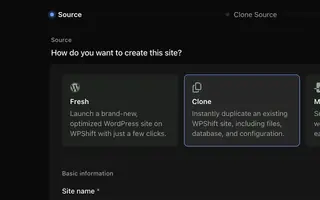 Staging & cloning From Solo Clone a site to test a PHP, plugin or theme change on a copy.
 -
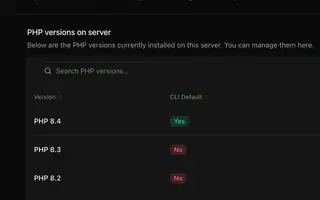 PHP versions Every plan Install several PHP versions on one server and choose one per site.
 -
 SSL certificates Every plan Free certificates, with renewal attempted ahead of expiry and an alert when a renewal fails.
 -
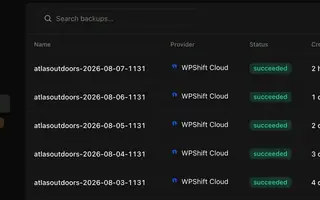 Backups Every plan Scheduled backups stored off the server, restorable to the same site or another.
Set up your first WordPress server
Connect your cloud account, let WPShift prepare the server, and add a site.
Free plan available. Paid plans include a 7-day trial. Server costs are separate.
The setup, in three steps
- Connect your cloud account
- Choose the region and size
- WPShift sets up the server