
WPShift vs Laravel Forge: WordPress only or many stacks
Laravel Forge supports many stacks. Its FAQ names Laravel, vanilla PHP, WordPress, Statamic, Node.js, Nuxt and Next.js, and every plan includes zero-downtime deployments from git. WPShift manages WordPress only.
Free plan available. Paid plans include a 7-day trial. Server costs are separate.
 WPShift
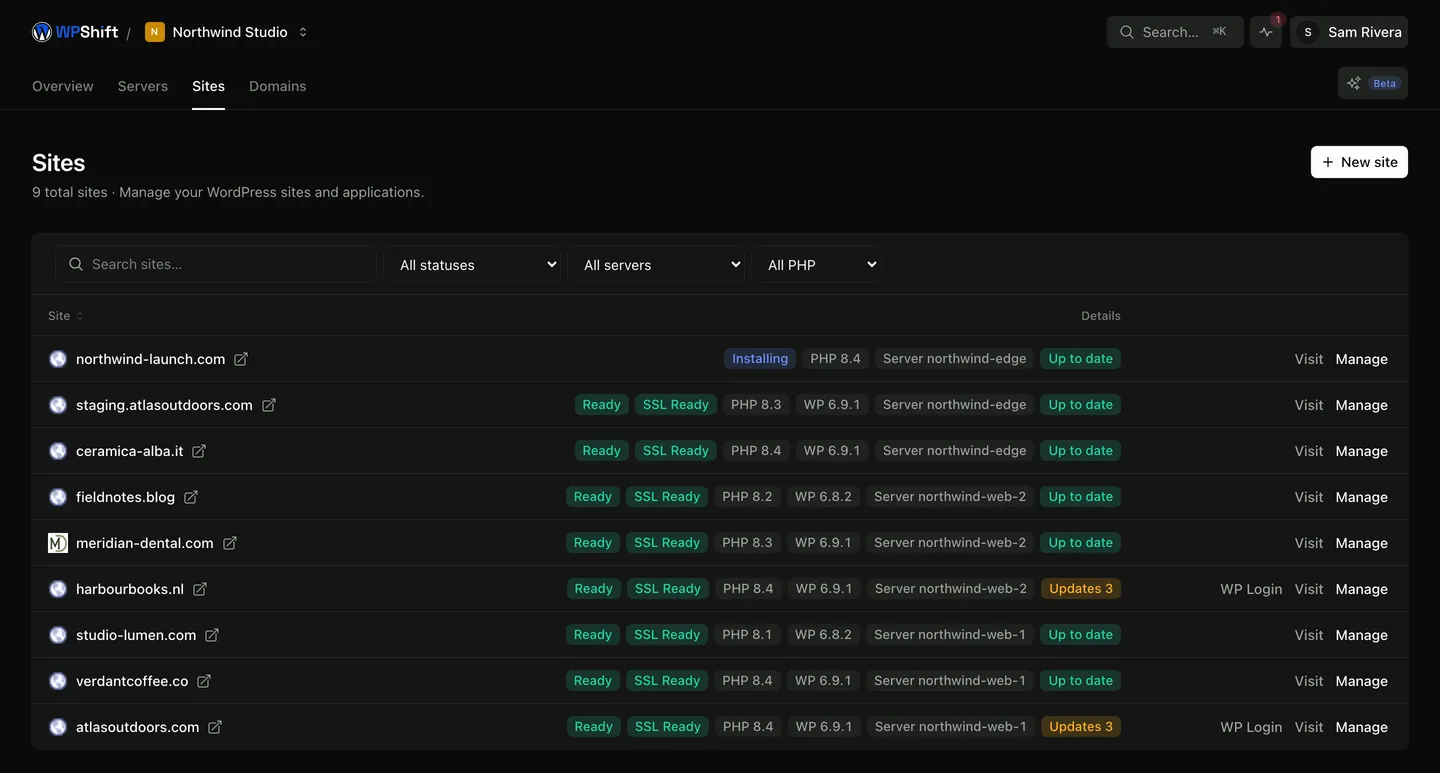
The dashboard
WPShift bills the plan
sets up and manages
- Site
- Site
- Staging copy from Solo
Also managed in WPShift
- Backups stored off the server
- DNS records for domains you point at WPShift
- Mailboxes on your own domain
- Uptime checks from outside the serverfrom Solo
- PageSpeed tests against the live sitefrom Studio
In WPShift, sites are installed, cloned and imported from the dashboard, and mailboxes, DNS and backup storage are part of every plan. If you also run Laravel or Node applications, Forge is the better fit.
What this page says about Laravel Forge comes from laravel.com/forge/pricing and its FAQ, read on 30 September 2026. Check laravel.com/forge for the current state.
Costs
How each one charges
WPShift
WPShift charges for a plan: Free €0, Solo €5,99, Studio €14,99 or Scale €29,99 a month, excluding VAT, with mailboxes, backup storage and DNS hosting included. A server in your own cloud account is billed by your provider, with nothing added by WPShift. A WPShift Cloud server is billed by WPShift.
Laravel Forge
Flat-rate monthly plans with unlimited sites. Hobby has one external server and unlimited Laravel VPS servers; Growth and Business have unlimited servers. You pay the subscription plus whatever your cloud provider charges.
per laravel.com/forge, 30 September 2026
The differences
How the two differ
Laravel Forge: per laravel.com/forge, 30 September 2026
What it manages
WPShift
WordPress only: plugins and themes, staging clones from Solo, cache rules that exclude carts and logged-in sessions, a PHP version per site.
Laravel Forge
Many stacks. The FAQ names Laravel, vanilla PHP, WordPress, Statamic, Node.js, Nuxt and Next.js.
How sites get onto the server
WPShift
Installed, cloned and imported from the dashboard. There is no git-deploy step in the WordPress workflow.
Laravel Forge
Deployment from GitHub, GitLab or Bitbucket, with zero-downtime deployments on every plan.
Mailboxes on your own domain
WPShift
Included on every plan, including the free one.
Laravel Forge
Not mentioned on the pricing page.
Backups
WPShift
Files and database, stored off the server in the plan's storage or your own S3-compatible storage.
Laravel Forge
Database backups are a listed feature.
Where the server comes from
WPShift
Your cloud account, or a WPShift Cloud server.
Laravel Forge
A Laravel VPS through Forge, or your account at DigitalOcean, AWS, Hetzner and others.
Free tier
WPShift
One WordPress site on one server, with a mailbox and 512 MB of backup storage.
Laravel Forge
No free plan is listed.
Which one
Both lists are WPShift's own view.
When Laravel Forge suits better
- Your fleet is not only WordPress: Laravel applications or Node services share the servers.
- You deploy from git and want zero-downtime releases as the normal way of shipping.
When WPShift suits better
- Everything you run is WordPress.
- You want mailboxes on your domains, DNS and backup storage included with the plan.
Free plan available. Paid plans include a 7-day trial. Server costs are separate.
In the dashboard
Questions
Questions about WPShift and Laravel Forge
- What if I run WordPress and Laravel side by side?
- Then Forge, or both tools together, is the better fit. WPShift manages WordPress sites only.
Test a copy before you decide
Copy a site to a WPShift-managed server and check it on a temporary address. Your current setup keeps serving the live site until you move DNS.
Free plan available. Paid plans include a 7-day trial. Server costs are separate.